

deepseek/deepseek-v4-1-flash. You pay per token from your SinarCloud balance, so you don’t need a Claude subscription.
This guide was last checked with Claude Code 2.1.311 in the terminal and Claude Code for VS Code 2.1.312.
Before you start
- Set the
SINARCLOUD_API_KEYenvironment variable as described in Before you connect. - Install Claude Code. See Set up Claude Code in Anthropic’s documentation.
Use Claude Code in the terminal
Choose your models
fable, opus, sonnet, and haiku model names. In the console, under AI, click Models, then click Details on a model. Check that Model capabilities lists Chat completions, Tool use, and Streaming. Then click the copy icon next to the alias to copy it.This guide uses deepseek/deepseek-v4-1-flash as the main model and for sonnet and haiku, and deepseek/deepseek-v4-pro for fable and opus.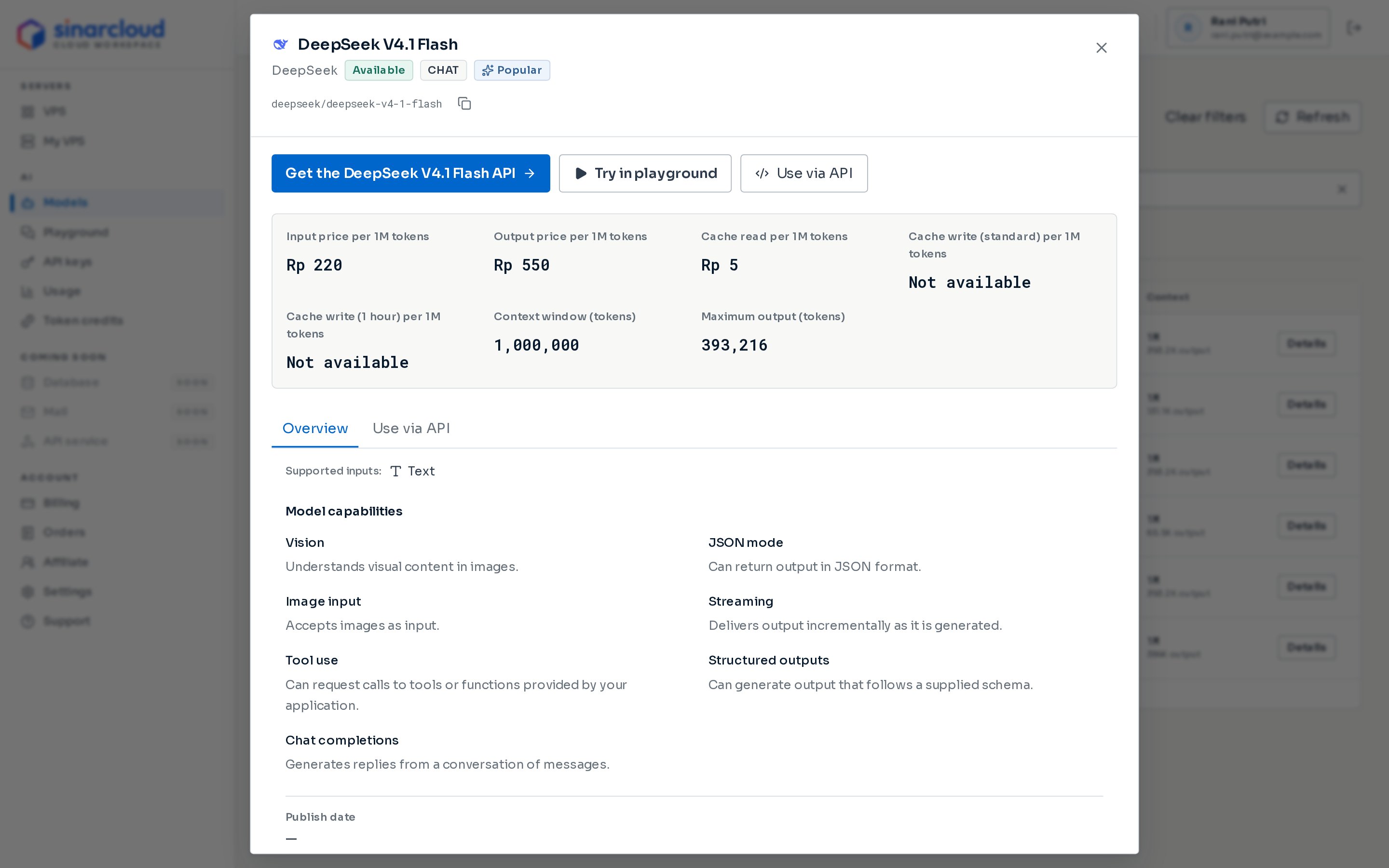
Check the capabilities and copy the alias
Point Claude Code at SinarCloud
https://ai.sinarcloud.com, without /v1. Claude Code adds /v1/messages to the base URL itself. In the terminal where you set SINARCLOUD_API_KEY, run:- macOS and Linux
- Windows PowerShell
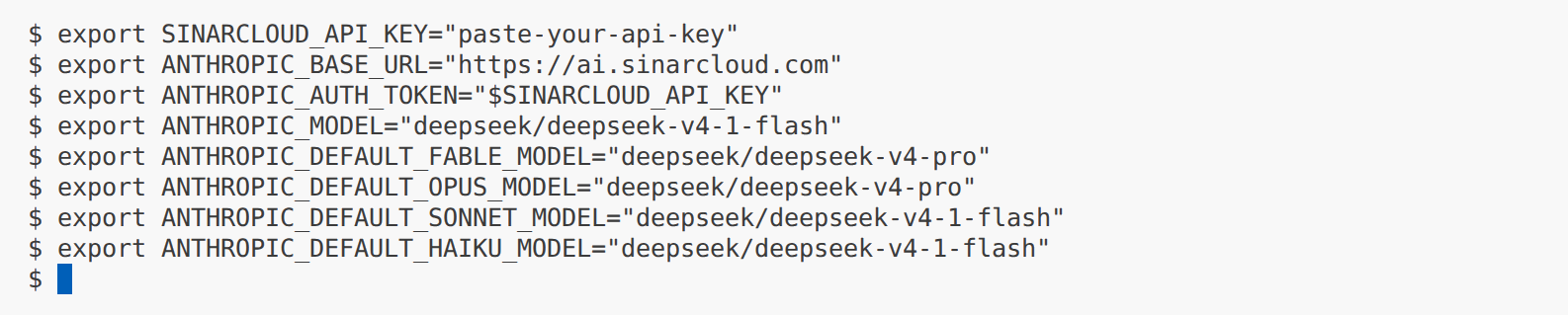
The variables set in the terminal, after SINARCLOUD_API_KEY
ANTHROPIC_BASE_URLis Claude Code’s base URL, without/v1.ANTHROPIC_AUTH_TOKENis your SinarCloud API key. Claude Code sends it in theAuthorizationheader and uses it right away, without asking you to approve it.ANTHROPIC_MODELis the model Claude Code starts with.ANTHROPIC_DEFAULT_FABLE_MODEL,ANTHROPIC_DEFAULT_OPUS_MODEL,ANTHROPIC_DEFAULT_SONNET_MODEL, andANTHROPIC_DEFAULT_HAIKU_MODELset the SinarCloud models behind Claude Code’sfable,opus,sonnet, andhaikumodel names, which appear in its model list. Claude Code also uses these names for background tasks and subagents, and its own models with these names don’t exist on SinarCloud, so set all four.
Check the connection
- macOS and Linux
- Windows PowerShell
content list means the URL and key work. If you get an error instead:unsupported_endpoint:ANTHROPIC_BASE_URLends in/v1. Set it tohttps://ai.sinarcloud.comand try again.authentication_errorwith “Invalid API key.”: the key is missing, mistyped, expired, or revoked.not_found_errorwith a message that starts withmodel:: the model alias is wrong, or the model isn’t available right now.
Start Claude Code
ANTHROPIC_AUTH_TOKEN is set. The first time you start it, it asks a few setup questions instead:- Under Choose the text style that looks best with your terminal, select a style, such as Light mode, and press Enter.
- Read the Security notes and press Enter.
- If Claude Code asks Use Claude Code’s terminal setup?, choose either option. It sets up Shift+Enter for new lines in your terminal.
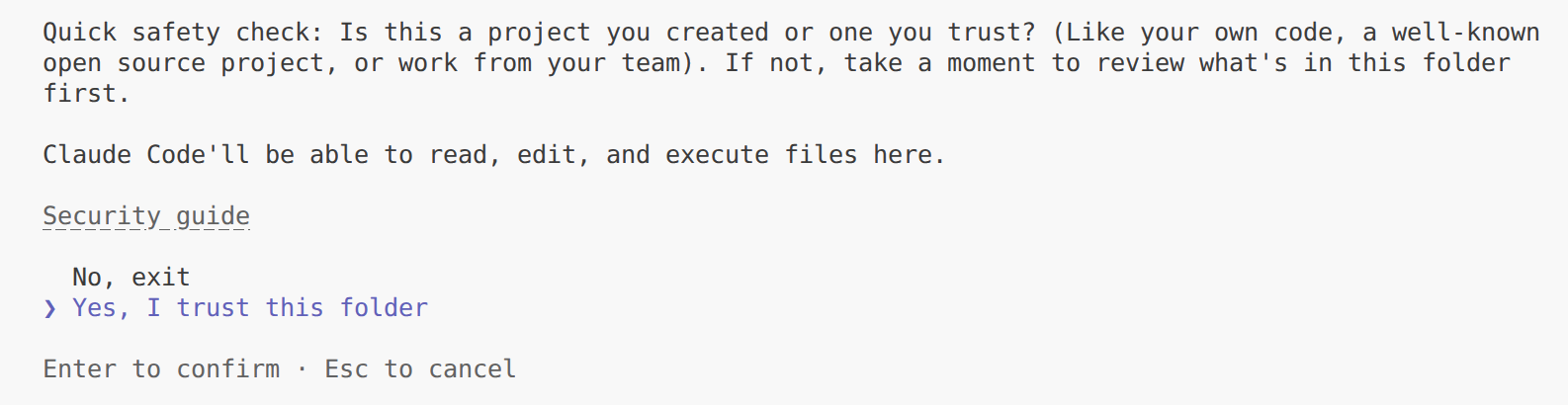
Trust the project folder to continue
Check the model on the welcome screen
deepseek/deepseek-v4-1-flash, with API Usage Billing, above your project folder.Below the header, Claude Code warns that the model isn’t recognized and that the context is assumed to be 200k tokens. That’s expected. See Context window.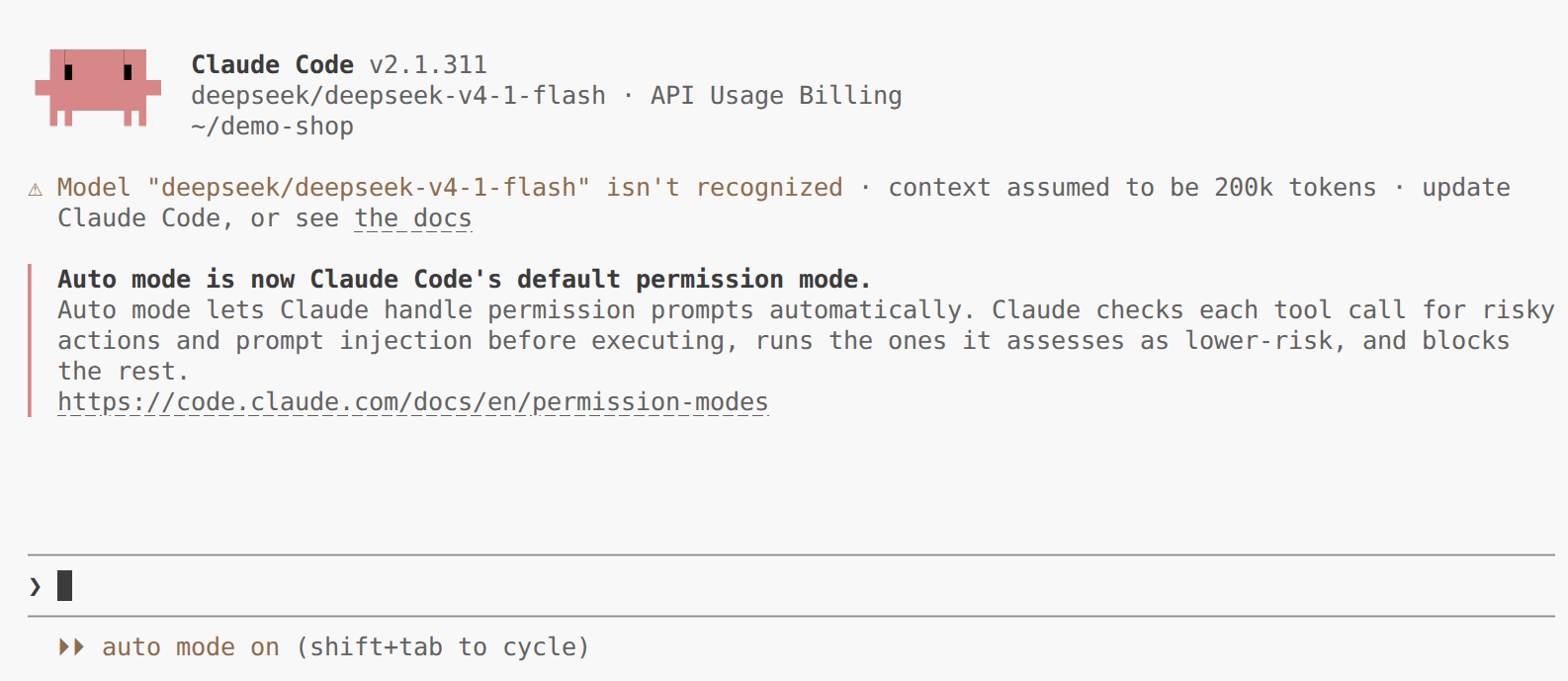
Claude Code runs on your SinarCloud model
Check the base URL in /status
/status and press Enter. On the Status tab, check two lines:- Anthropic base URL shows
https://ai.sinarcloud.com. - Auth token shows
ANTHROPIC_AUTH_TOKEN, the variable that holds your key.
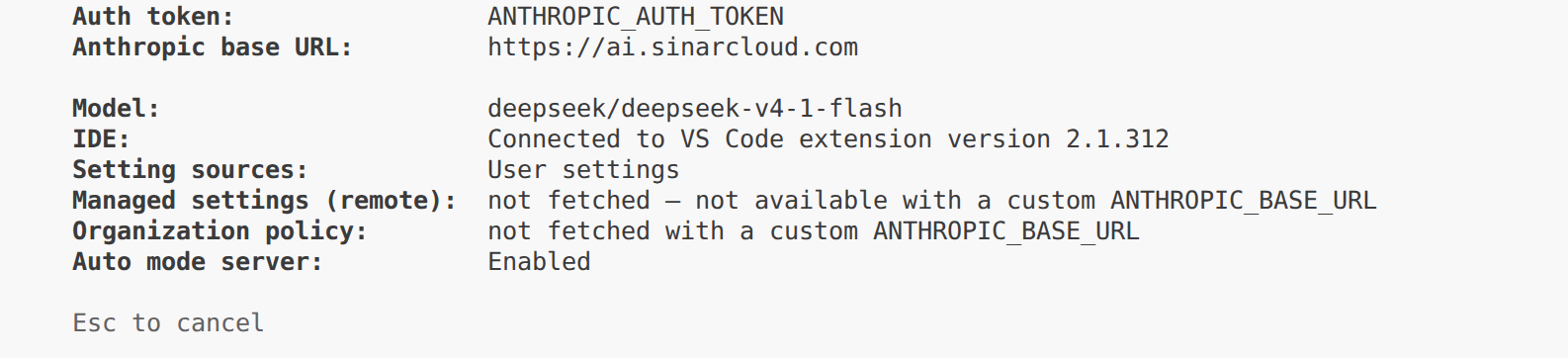
/status shows the SinarCloud base URL
Give Claude Code a task
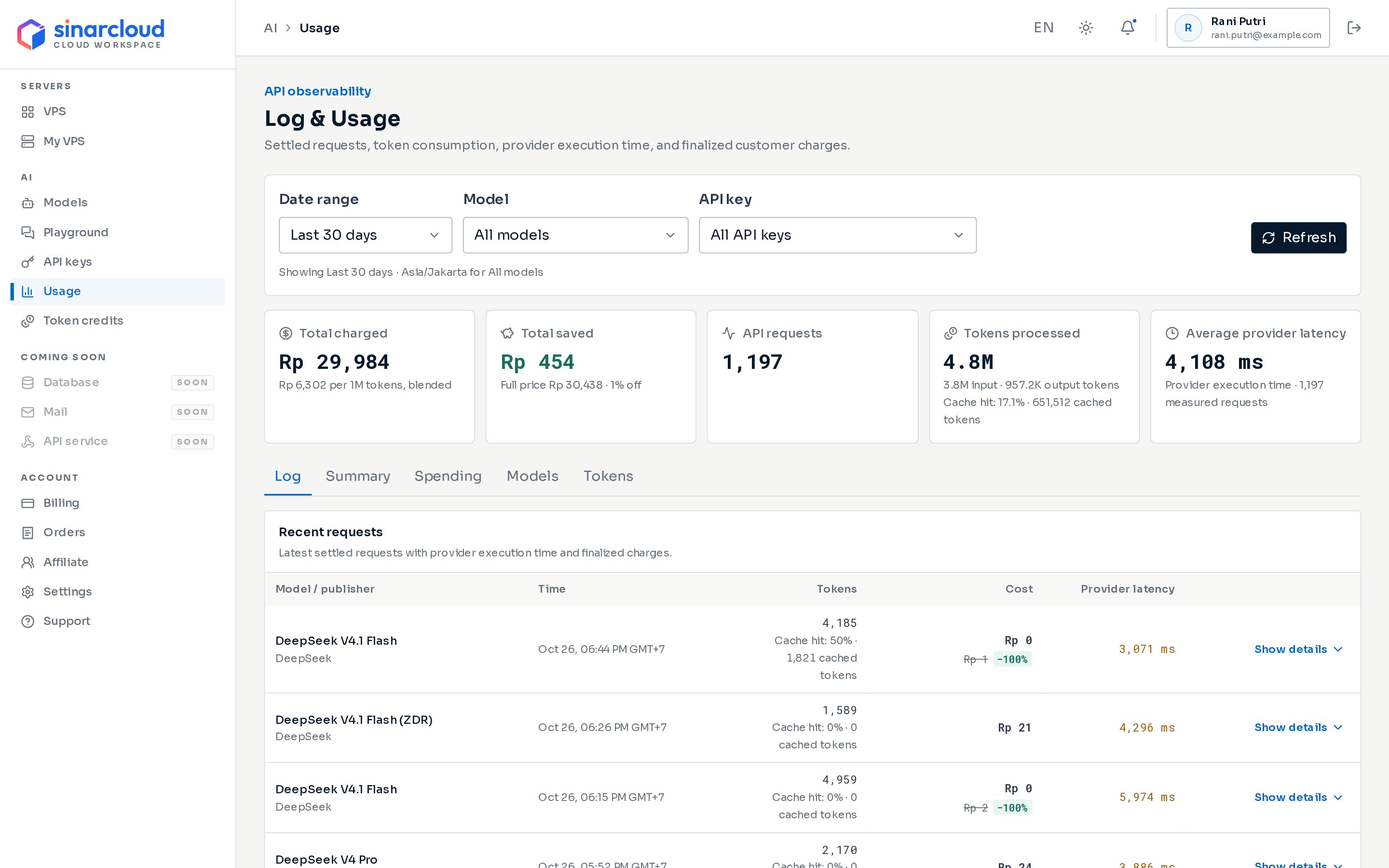
Choose your Claude Code key in the API key filter
Save the settings
env block of your Claude Code user settings file: ~/.claude/settings.json on macOS and Linux, or %USERPROFILE%\.claude\settings.json on Windows.After your first run, the file already exists and holds the text style you chose, such as "theme": "light". Add the env block inside its outer braces, and put a comma after the line before it. If the file doesn’t exist, create it. Paste your full API key: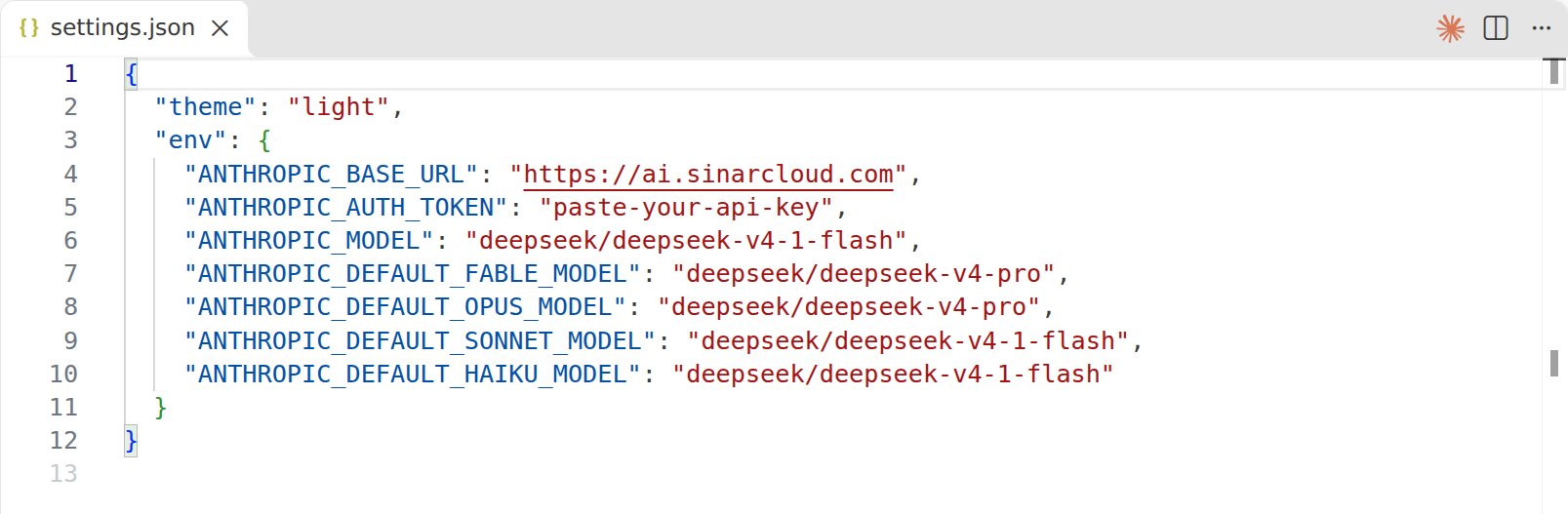
The env block in ~/.claude/settings.json
Use Claude Code in VS Code
Claude Code also comes as a VS Code extension, which opens Claude Code in a panel next to your code. It uses the same variables as the terminal, but you set them in VS Code’s settings.Install the extension
Ctrl+Shift+X (Cmd+Shift+X on macOS) and search for Claude Code for VS Code. Click Install on the Claude Code for VS Code extension published by Anthropic.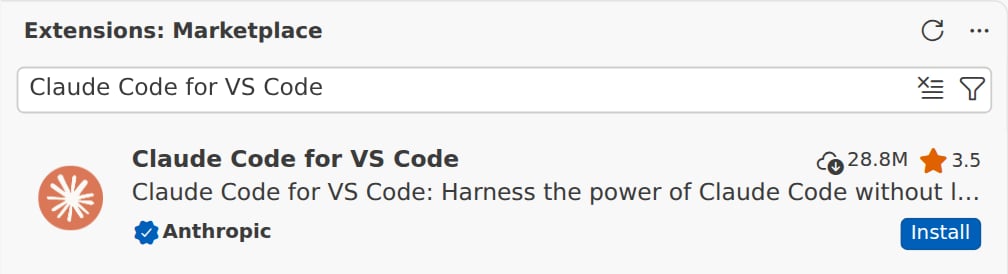
Install Claude Code for VS Code, published by Anthropic
Turn off the sign-in prompt
Ctrl+, (Cmd+, on macOS), search for Claude Code login, and check Disable Login Prompt.
Check Disable Login Prompt
Add the SinarCloud variables
Ctrl+Shift+P (Cmd+Shift+P on macOS) and run Preferences: Open User Settings (JSON). The checkbox in the previous step added "claudeCode.disableLoginPrompt": true to this file. Add the claudeCode.environmentVariables setting after it, with the base URL https://ai.sinarcloud.com, your API key, and your models. Both keys go inside the file’s outer braces: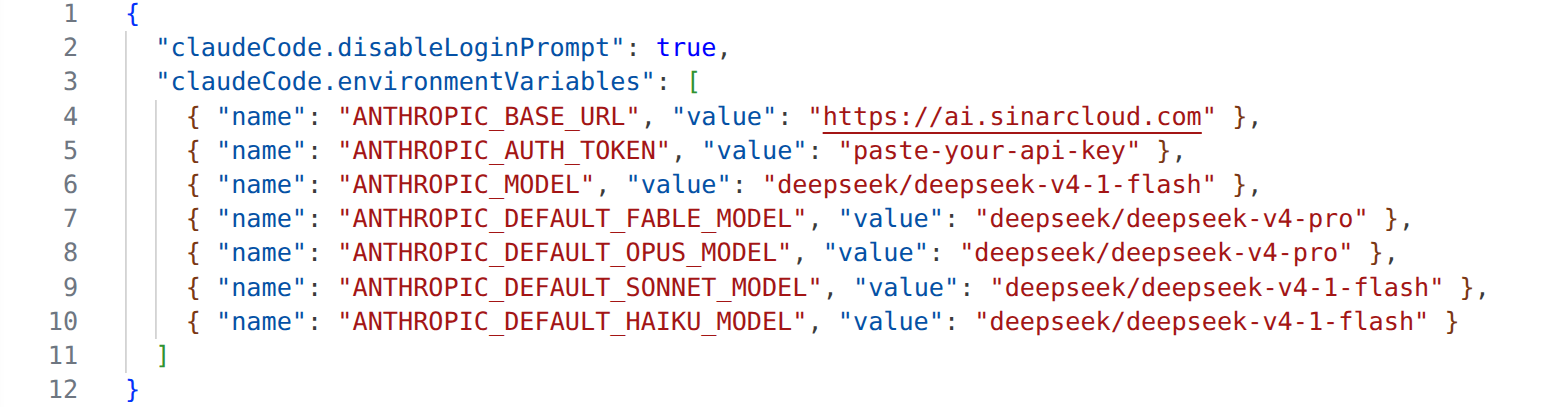
The two keys in settings.json
~/.claude/settings.json. Save the file, then restart VS Code so the extension picks up the new values.claudeCode.environmentVariables there. In a remote window, VS Code greys out this setting in your user settings and doesn’t pass it to the extension, so the panel lists Claude models.Open Claude Code
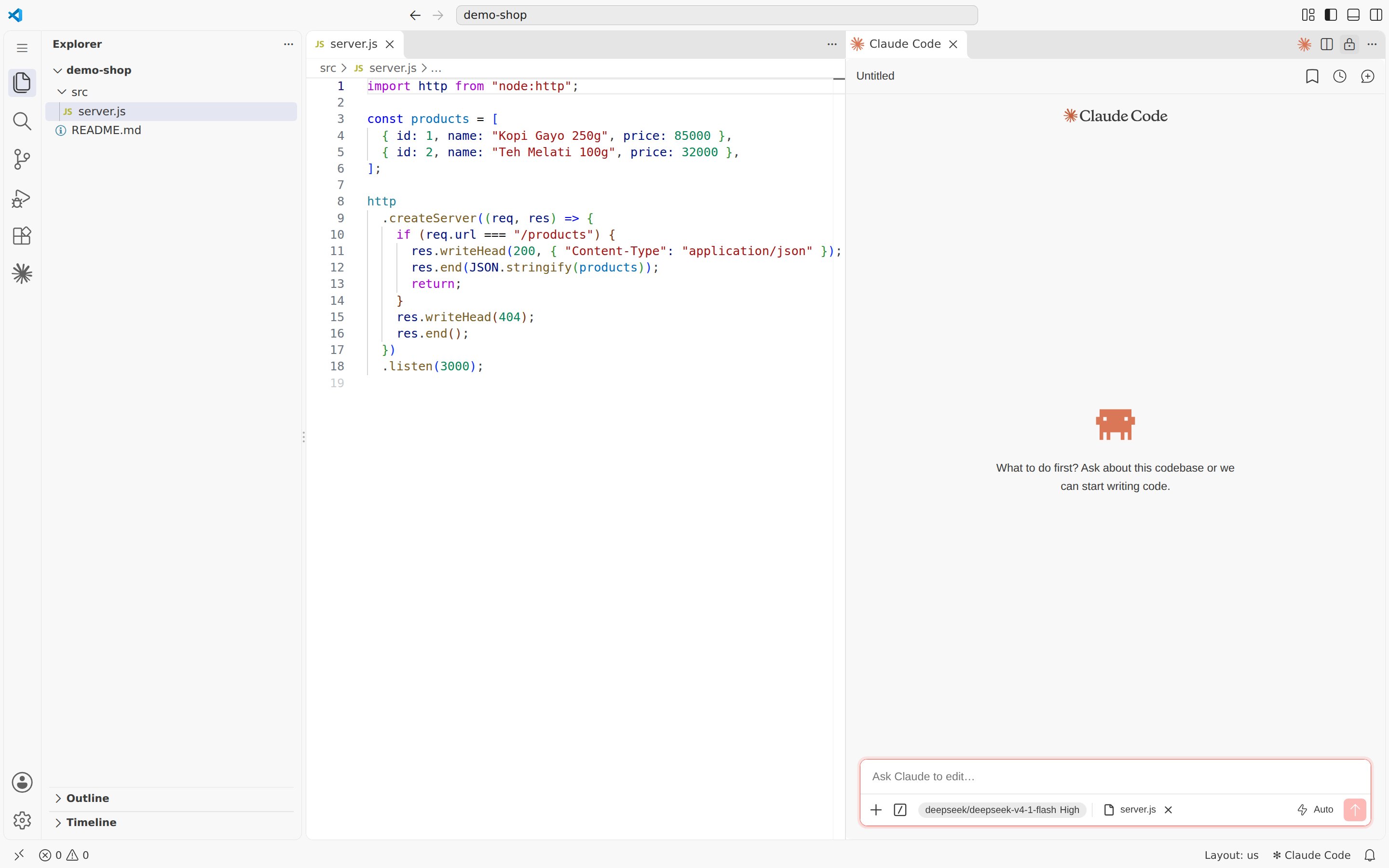
Claude Code in VS Code, running on a SinarCloud model
Switch models in the panel

The model list shows your SinarCloud models
Switch models
To switch to another SinarCloud model during a session, run/model followed by the model’s alias:
claude --model followed by the alias. Compare prices on the Models page first, because every step of Claude Code’s work is a separate request.
Context window
Claude Code doesn’t recognize SinarCloud model aliases, so it assumes a context window of 200K tokens and compacts the conversation when it reaches that size. A model’s real window is shown under Context window (tokens) in its details on the Models page. The 200K default keeps requests smaller and cheaper, because Claude Code sends the whole conversation with every request. To let a session grow larger before Claude Code compacts it, setCLAUDE_CODE_MAX_CONTEXT_TOKENS to the model’s window, the same way you set the other variables. For example, for a model with a 1,000,000-token window:
What works differently
- Web search doesn’t work. Claude Code’s web search runs on the API side, which SinarCloud doesn’t offer.
- PDFs and other documents aren’t sent. SinarCloud doesn’t accept them, so Claude Code leaves them out and tries again. To work with a document, convert it to text first.
- Images need a model with image input. If the model doesn’t list Image input or Vision, Claude Code leaves the image out and tries again.
- Claude account features aren’t available. Features that need a Claude account or Anthropic’s servers, such as Remote Control, cloud sessions, and fast mode, don’t work, and Claude subscription limits don’t apply. You pay for each request from your SinarCloud balance. See Anthropic’s feature availability page.
Troubleshooting
There's an issue with the selected model (...). It may not exist or you may not have access to it.
There's an issue with the selected model (...). It may not exist or you may not have access to it.
ANTHROPIC_BASE_URLends in/v1, so requests go to the wrong address. Set it tohttps://ai.sinarcloud.comin your terminal and in~/.claude/settings.json.- The model alias in the message doesn’t exist or isn’t available right now. Copy the alias again from the Models page, check all the
ANTHROPIC_MODELandANTHROPIC_DEFAULT_*_MODELvariables, and check that the model lists Chat completions.
Failed to authenticate. API Error: 401 Invalid API key.
Failed to authenticate. API Error: 401 Invalid API key.
ANTHROPIC_AUTH_TOKEN is missing, mistyped, expired, or revoked. If you saved the key in ~/.claude/settings.json, check it there too, because that value wins over your terminal. If the key has expired or been revoked, create a new one.API Error: 402 Your balance is empty or negative and no token credits remain for this model.
API Error: 402 Your balance is empty or negative and no token credits remain for this model.
API Error: 400 Only caller-executed tools are supported.
API Error: 400 Only caller-executed tools are supported.
Claude Code asks you to sign in
Claude Code asks you to sign in
ANTHROPIC_AUTH_TOKEN when it started. Set the variables in the terminal before you run claude, or save them in ~/.claude/settings.json. A project’s settings files apply only after Claude Code’s first-run setup, so they don’t prevent this prompt.In VS Code, the panel asks you to sign in or lists Claude models
In VS Code, the panel asks you to sign in or lists Claude models
claudeCode.environmentVariables is in your user settings, not a workspace’s settings. If VS Code is connected to a remote machine, put claudeCode.environmentVariables in the remote settings instead, with Preferences: Open Remote Settings (JSON). Then restart VS Code, because the extension reads these settings when it starts.A warning that two credential sources are set
A warning that two credential sources are set
ANTHROPIC_AUTH_TOKEN for requests, but the saved sign-in can cause unexpected behavior. To use only your SinarCloud key, run /logout.